AI Manhwa Colorizer
Turn black-and-white manhwa into full color. Upload one panel or a whole vertical-scroll chapter and get it back colorized, at the size you uploaded, with every character the same color on every page.
 Watashi Colorizer|
Built for the Long Vertical Page
Manhwa is read as one tall scroll, and most colorizers choke on that. They either squash the whole strip into a blurry thumbnail or cut it into pieces and color each piece a different way, so a character's hair changes shade halfway down the page.
Watashi Colorizer splits a tall manhwa page at its natural panel gaps, colorizes each scene with full context, and stitches the result back together at the original resolution. You get one continuous, consistent strip, not a patchwork.
It works on manhwa, manhua, webtoons and manga alike. This page is about manhwa specifically, because the tall-page problem is where most tools fail.
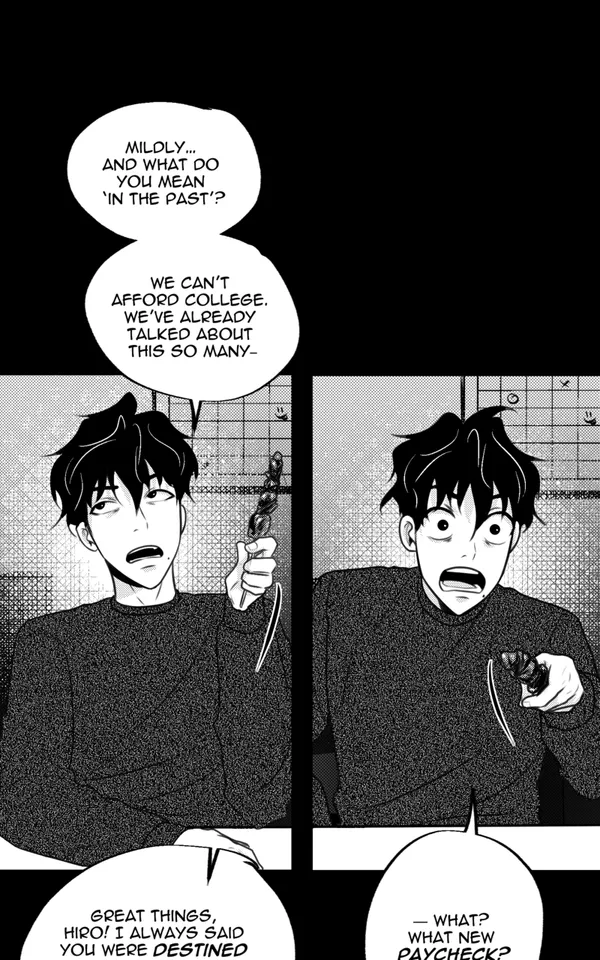
Black & white
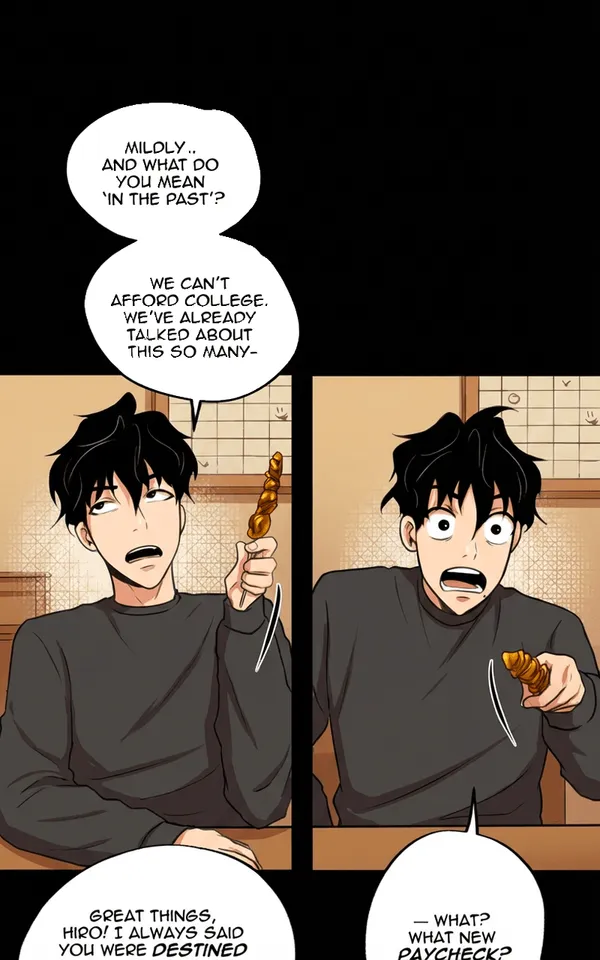
AI colorized
Why Manhwa Teams Use It
Character palettes lock exact colors for every recurring character, so a series stays consistent across a hundred chapters instead of drifting a little on each one.
Vertical-scroll aware processing means a 1080 by 20000 pixel chapter is handled as a chapter, not as an oversized image. Panel borders and speech bubbles come back clean.
Batch upload takes an entire chapter at once, and every image returns at the exact dimensions you gave it, ready to publish on any platform.
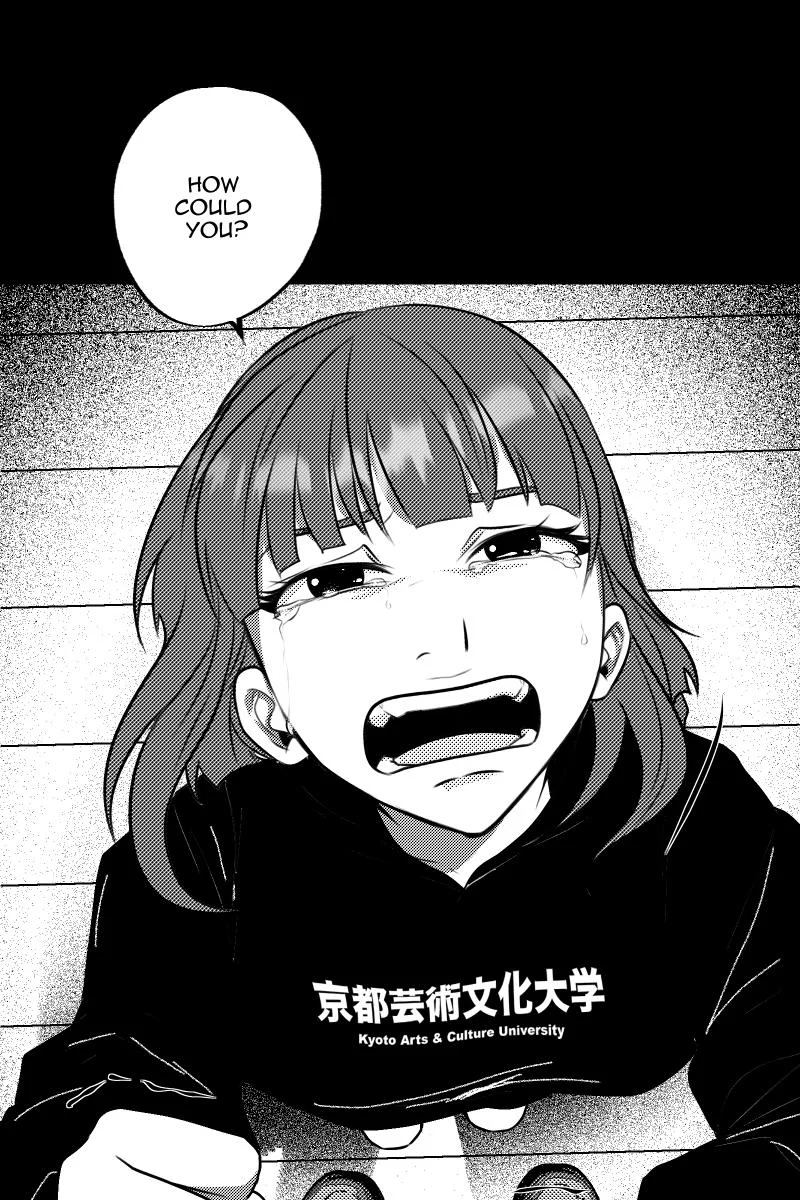
Black & white
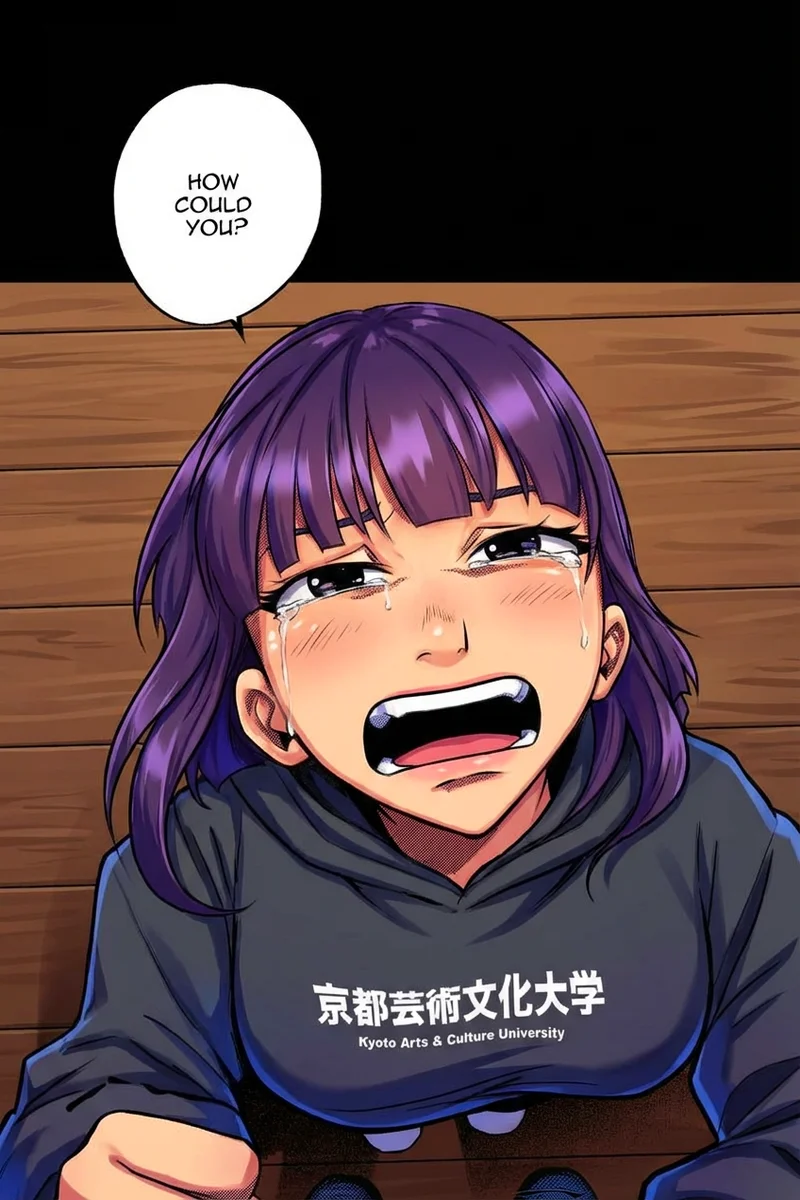
AI colorized
How It Works
Create a project and upload your black-and-white manhwa pages, from a single panel to a full chapter.
Pick a character palette or write a short color instruction, then colorize. The model reads linework and shading and places color where the art asks for it rather than flat-filling.
Review each page, retry anything you want changed, and download the colored chapter at full resolution.
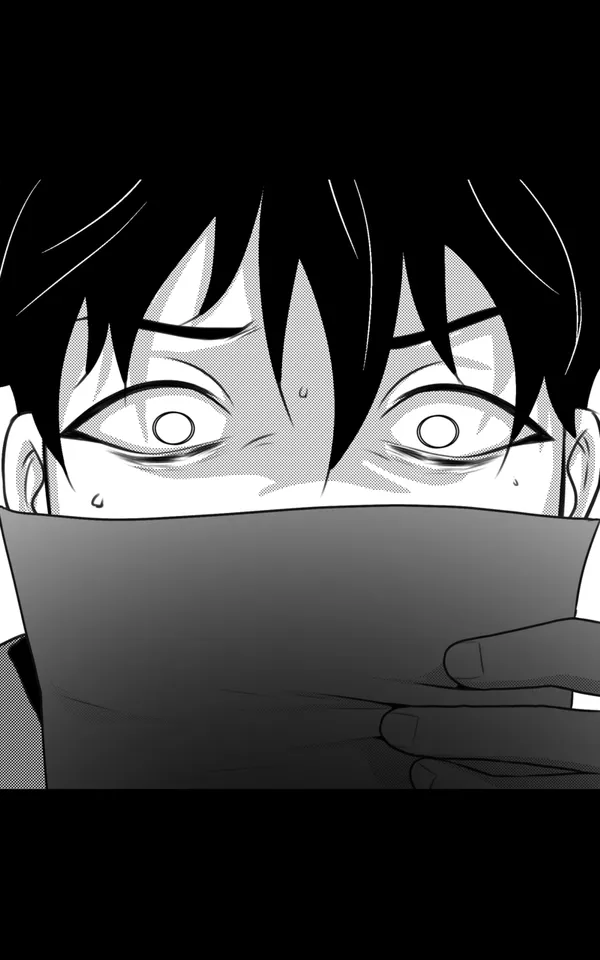
Black & white

AI colorized
Colorize Your First Chapter
Getting started takes under a minute:
- Create a free account and start a new project.
- Upload a black-and-white manhwa page or a whole chapter.
- Choose a palette or type a color instruction, then colorize.
- Review and download at original resolution.
The free tier lets you try it on real pages before spending anything.
Manhwa colorization questions
Can it colorize a full manhwa chapter, not just one panel?
Yes. Upload the whole chapter at once. Tall vertical-scroll pages are split at their panel gaps, colorized in context, and reassembled at the original size.
Will a character stay the same color across the chapter?
Yes, if you set a character palette. The palette pins hair, eye, skin and outfit colors so the same character matches from the first panel to the last, and across later chapters too.
Does it change the resolution of my pages?
No. Every page comes back at exactly the dimensions you uploaded, so it drops straight into your publishing workflow.
Is the manhwa colorizer free?
There is a free tier so you can try it on real pages first. After that, colorization uses credits, and you only pay for pages you actually process.
Does it also handle manga and webtoons?
Yes. The same colorizer works on manga, manhua and webtoons. There is a dedicated manga colorizer page if that is your format.