AI Manga Colorizer
Turn black-and-white manga into full color in seconds. Upload a single page or an entire chapter — the AI colorizes it with consistent character palettes and publish-ready quality.
 Watashi Colorizer|
The AI Colorizer Built for Manga
Manga is the format that most needs color. Unlike webtoons — which are usually published in color or already fan-colored — manga is drawn in black and white and stays that way. That leaves thousands of series, doujin, and fan works with no color at all.
Watashi Colorizer is a purpose-built AI manga colorizer. Upload a black-and-white page and it returns a fully colored version at the original resolution, with clean linework, faithful shading, and colors that stay consistent from panel to panel.
It works on manga, manhwa, manhua, and webtoons — any black-and-white comic art — but manga is exactly what it was tuned for.

Black & white

AI colorized
Why Creators Use It
Character palettes lock exact colors so a character looks identical across every page and every chapter — no drifting hair or eye colors between batches.
Panel-aware processing splits pages at their natural dividers and colorizes each scene in context, so speech bubbles stay clean and panels don't bleed into each other.
Batch processing handles whole chapters at once, and every image comes back at the exact dimensions you uploaded — ready to publish or print.
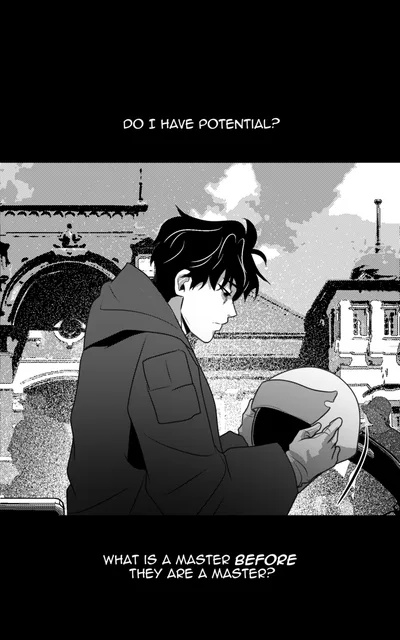
Black & white
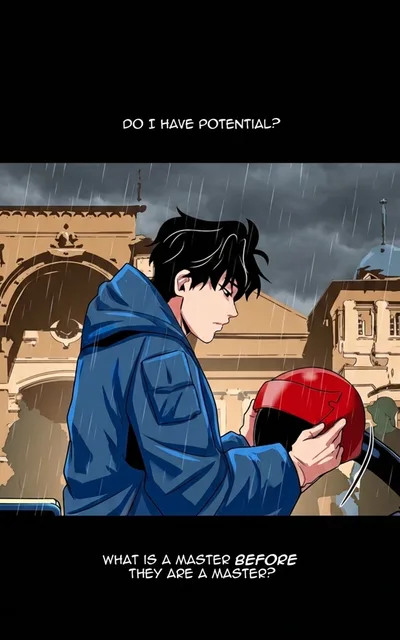
AI colorized
How It Works
Create a project and upload your black-and-white manga pages — one page or a full chapter.
Choose a character palette or just add a short color instruction, then let the AI colorize. It reads the linework and shading to place color naturally instead of flat-filling.
Review each result, retry any page you want to adjust, and download your colored manga at full resolution.
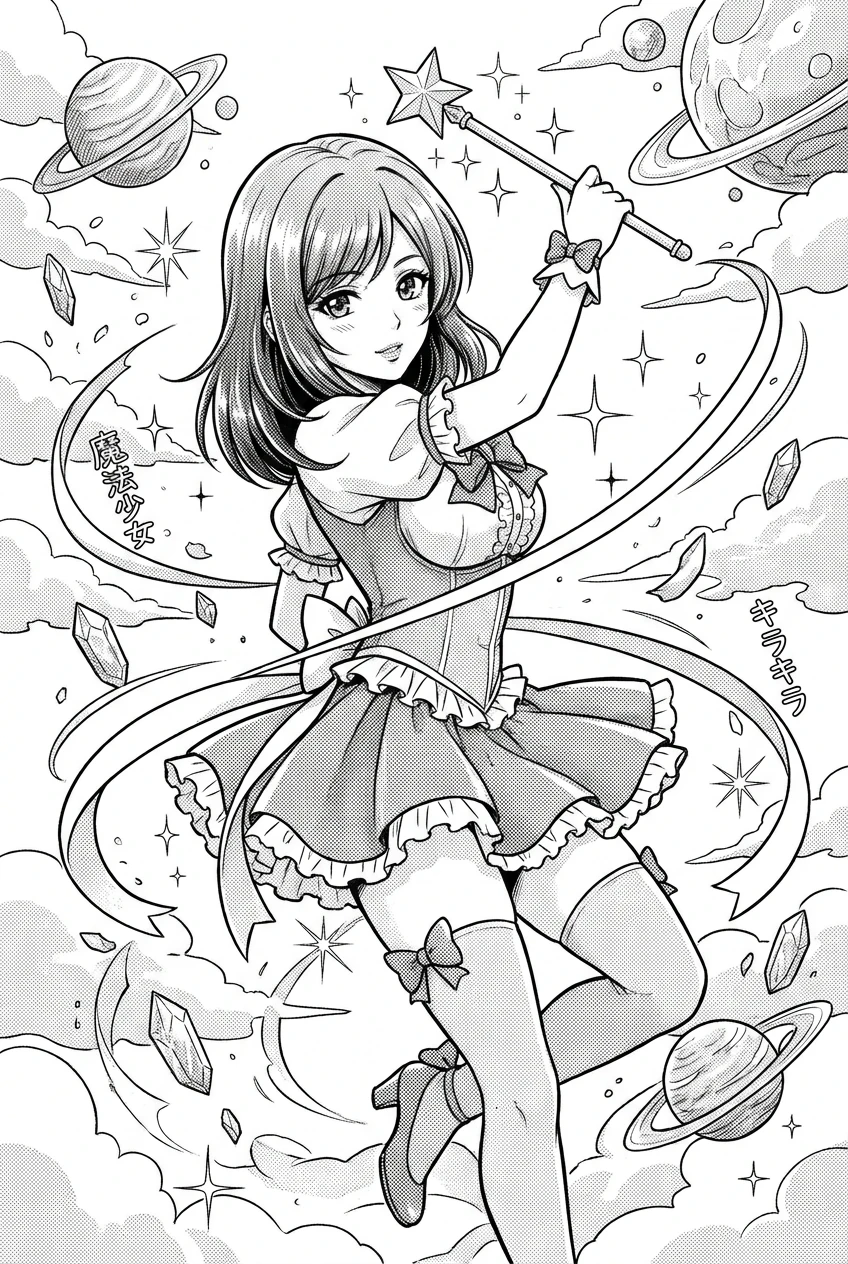
Black & white
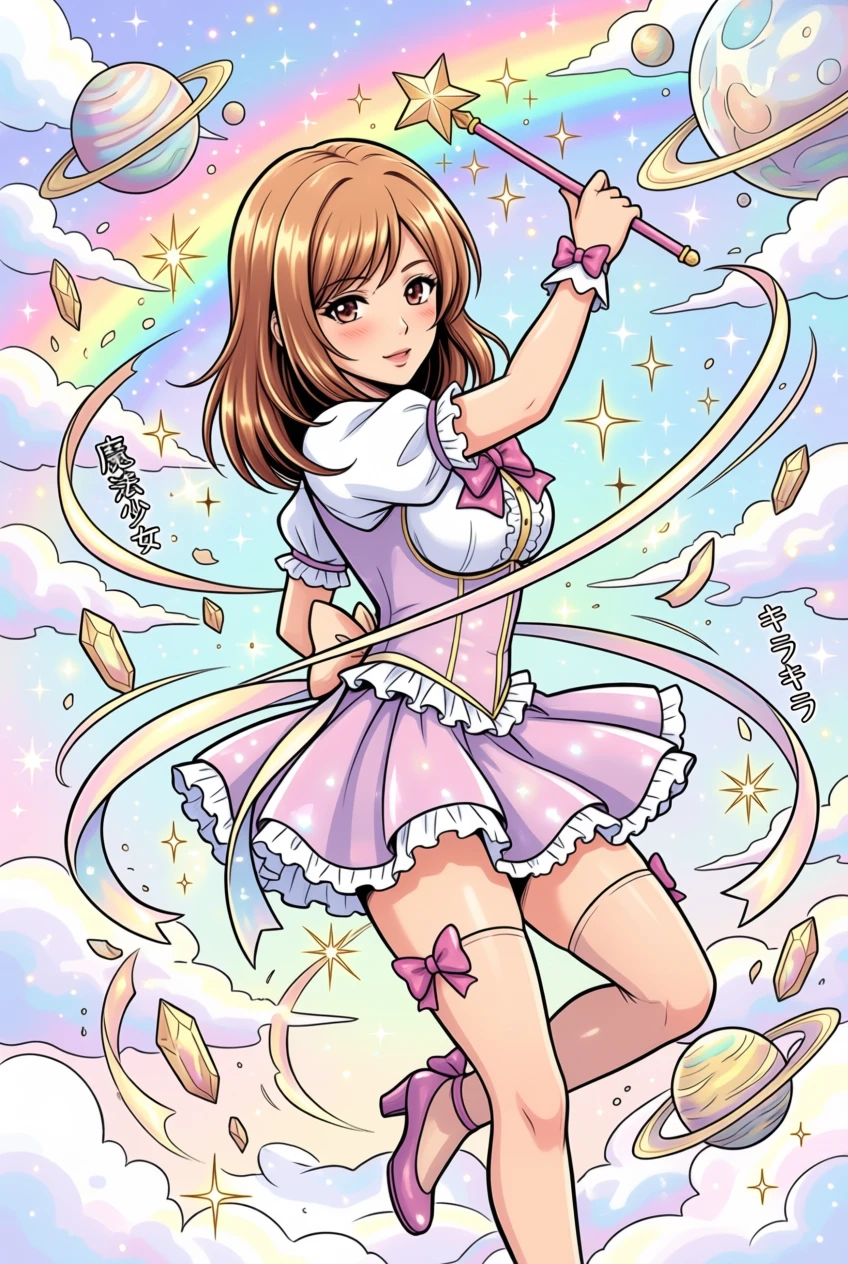
AI colorized
Colorize Your First Page
Getting started takes under a minute:
- Create a free account and start a new project.
- Upload a black-and-white manga page (or a whole chapter).
- Pick a palette or type a color instruction, then colorize.
- Review and download at original resolution.
The free tier lets you try it before spending anything — most creators colorize their first page in about a minute.
Manga colorization questions
Is the AI manga colorizer free to use?
There is a free tier so you can colorize your first pages without paying. After that, colorization uses credits, and you only pay for the pages you actually process.
Does it keep the original resolution?
Yes. Every page comes back at exactly the dimensions you uploaded, so it is ready to publish or print without upscaling.
Will characters stay the same color across a whole chapter?
Yes, if you set a character palette. Palettes pin hair, eye, skin and outfit colors so a character matches on every page and in every later chapter.
Can it colorize an entire chapter at once?
Yes. Upload the whole chapter and it is processed as a batch. Pages are split at their panel dividers and colorized in context, so speech bubbles stay clean and scenes do not bleed into each other.
Does it work on manhwa and webtoons too?
Yes. The same colorizer handles manhwa, manhua and webtoons, including tall vertical-scroll chapters. There is a dedicated manhwa colorizer page for that format.