Free Manga Colorizer: Best Ways to Colorize Manga Free in 2026
A comprehensive look at free and affordable ways to colorize manga, manhwa, and webtoons online — including AI tools, BYOK setups, and what to look for in a free manga colorizer.
 Watashi Games|
Why Colorize Your Manga?
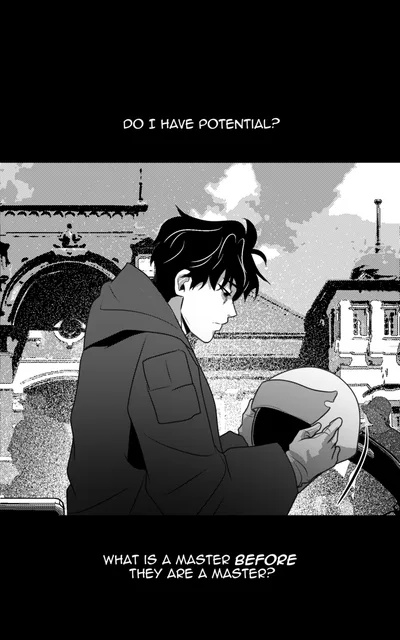
Black and white manga has a timeless aesthetic, but color opens up new possibilities for creators and fans alike. Colored versions of manga and webtoons consistently see higher engagement on social media, attract broader audiences on platforms like Webtoon and Tapas, and make scenes easier to follow — especially action-heavy sequences where grayscale tones can blur together.
The challenge has always been cost. Professional colorization services charge anywhere from $15 to $50 per page, putting full-chapter colorization out of reach for independent creators and fan communities. That is changing rapidly thanks to AI-powered colorization tools that can process pages in seconds rather than hours.
Whether you are a manga creator looking to offer colored editions, a scanlation team wanting to enhance releases, or a fan who simply wants to see a favorite series in color, there are now genuine free options available. This guide walks through the best free manga colorization tools in 2026 and helps you pick the right one for your workflow.
B&W

Color
Free Colorization Options Overview
The free manga colorizer landscape in 2026 breaks down into three categories: fully free web tools with limitations, freemium platforms with generous free tiers, and open-source models you can run locally. Each approach has trade-offs in quality, speed, and convenience.
Fully free web tools typically offer basic colorization with limited resolution and no batch processing. They work fine for experimenting with a single page, but the output quality varies widely. Open-source models like Anime Colorization and Manga Colorization v2 can produce excellent results, but they require technical setup — a GPU, Python environment, and comfort with command-line tools.
Freemium platforms sit in the middle ground. Tools like Watashi Colorizer offer free credits on signup so you can test the full pipeline — batch processing, character palettes, webtoon splitting — without paying anything upfront. This lets you evaluate the quality on your own artwork before deciding whether to invest in credits or set up BYOK mode for ongoing use.
What Watashi Colorizer Offers for Free
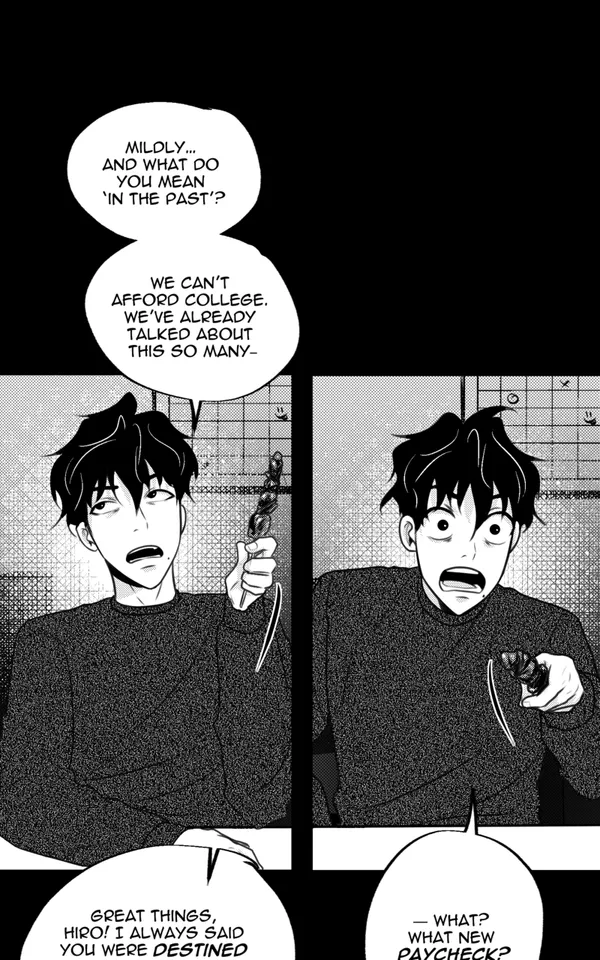
Watashi Colorizer gives every new account free credits to colorize real pages with the full feature set. There are no watermarks, no resolution limits, and no feature gates on the free tier. You get the same AI model, the same character palette system, and the same batch processing that paying users access. The only difference is the number of pages you can process before purchasing more credits.
The platform supports both manga (page-by-page) and webtoon (vertical strip) formats. Webtoon mode automatically splits long vertical strips at panel dividers, colorizes each segment with cross-panel context awareness, and reassembles them into the original strip format. Character palettes let you define hair, eye, skin, and clothing colors for each character so the AI maintains consistency across chapters — a critical feature for series work.
Beyond colorization, Watashi Colorizer includes translation into 40+ languages, image upscaling, and a built-in compare view for reviewing results. The platform is built by Watashi Games (watashigames.com) and integrates with Watashi Marketing for creators who want to promote their colored work across social channels. Learn how we marketed Watashi Colorizer with zero ad spend in our AI tools marketing guide.
B&W

Color
BYOK: Colorize at Cost
The most cost-effective way to colorize manga online is the Bring Your Own Key approach. BYOK lets you plug your own Google Gemini API key into Watashi Colorizer and bypass the credit system entirely. You pay Google directly for API usage at their published rates, which works out to roughly $0.03–$0.13 per page depending on the model and how tall your pages are.
Google's free tier for the Gemini API includes only a very small image-generation quota, so plan on a paid Google plan for any real chapter work. Even paid, BYOK is several times cheaper per page than per-image credits on any platform — that is the whole point of it.
Setting up BYOK takes about two minutes. You create a Google AI Studio account, generate an API key, and paste it into Watashi Colorizer's settings panel. From that point forward, every colorization request uses your key. You get full access to character palettes, batch processing, webtoon splitting, and all other features — the only thing that changes is the billing model. Check the BYOK Setup Guide article for a detailed walkthrough.
Comparing Free Colorization Tools
When evaluating a free manga colorizer, the key factors are output quality, batch support, consistency features, and format handling. A tool might produce beautiful single-page results but fall apart when processing a full chapter because it has no mechanism for maintaining character colors across pages.
Most free online colorizers treat each image independently — upload one image, get one colored image back. This works for standalone illustrations but creates problems for sequential art. Characters change color between panels, backgrounds shift tone mid-scene, and the result feels disjointed rather than cohesive. Tools with character palette and context learning features solve this by carrying color information across the batch.
Format support matters too. Standard manga pages are straightforward, but webtoons present a unique challenge because of their tall vertical format. A tool that does not handle webtoon splitting will either shrink the image (losing detail) or crop it (losing content). Purpose-built webtoon colorizers handle the splitting, colorization, and reassembly automatically.
Getting Started in Minutes
Ready to colorize your first page for free? Here is the fastest path from raw manga to full color:
- Sign up at Watashi Colorizer — your account comes with free credits, no payment method required.
- Create a project (manga or webtoon format) and upload your black and white pages.
- Optionally set up a character palette to define your characters' colors for consistent results.
- Hit colorize, review the results in compare view, and download your colored pages.
The entire process takes under a minute for a single page, or a few minutes for a full chapter. If you plan to colorize regularly, consider setting up BYOK mode to keep your per-page cost as low as it goes while maintaining access to all features.